
Travel abroad like you’ve been there before.
Plan your trip day by day, see what things cost in rupees, keep track of every payment, and read the local guide and phrases, all on your phone and all working without internet.
Abroad, it’s the small things that are hard
“Is that a good price?”
Prices in baht, dirhams or yen mean nothing until you work them out, usually with a calculator at a busy market stall.
Where did the money go?
A taxi here, a ticket there, card and cash mixed up. By day three nobody knows how much is left.
No data when you need it
Expensive roaming, no local SIM yet, patchy Wi-Fi. Exactly when you need directions or a word in the local language.
Everything for your trip, in one free app
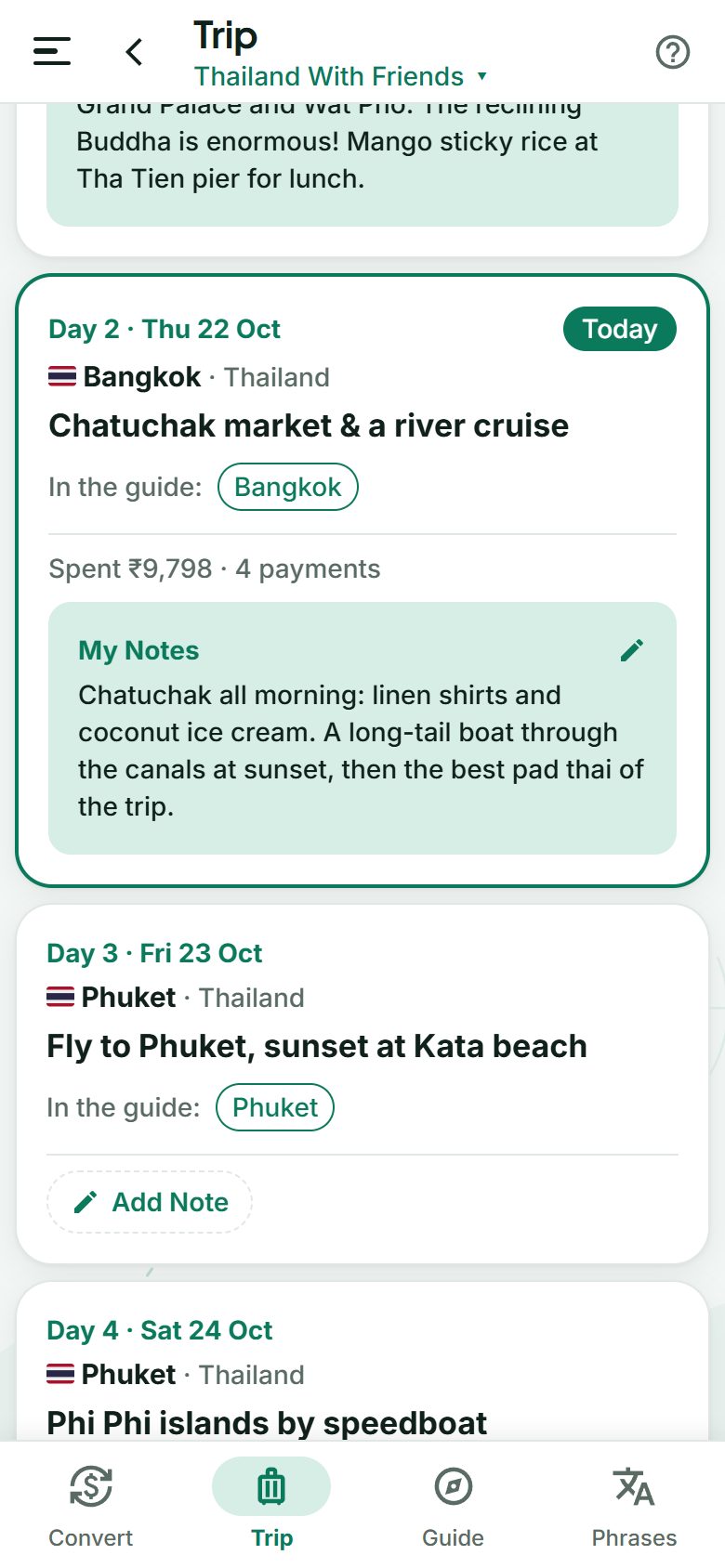
Plan your own trip, day by day
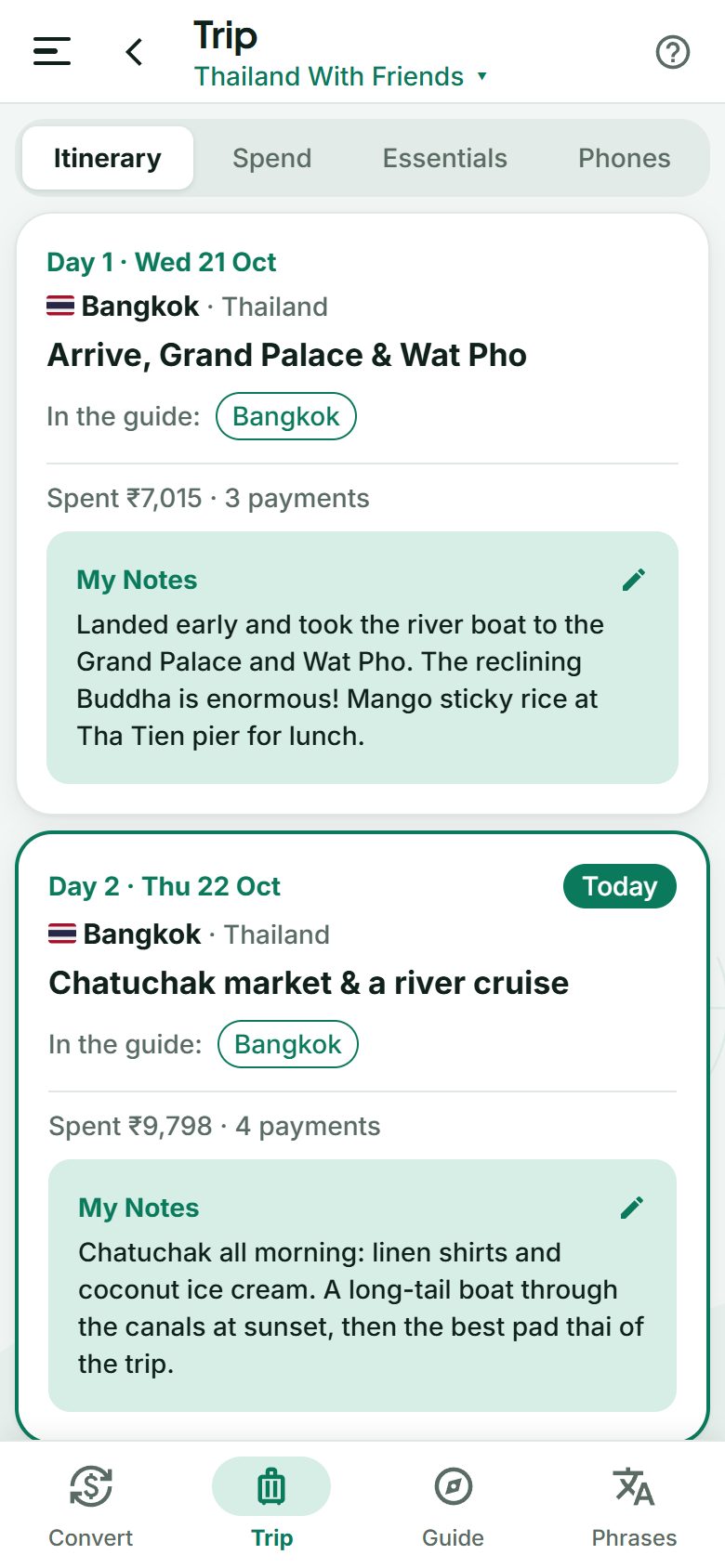
- Create your trip with its dates, countries and a plan for each day: the city and what you’ll do.
- Today is always highlighted, with links to the guide’s pages for the city you’re in.
- The whole app follows your plan: on your Phuket day, the guide opens on Phuket, and the converter and phrases are ready for Thailand.
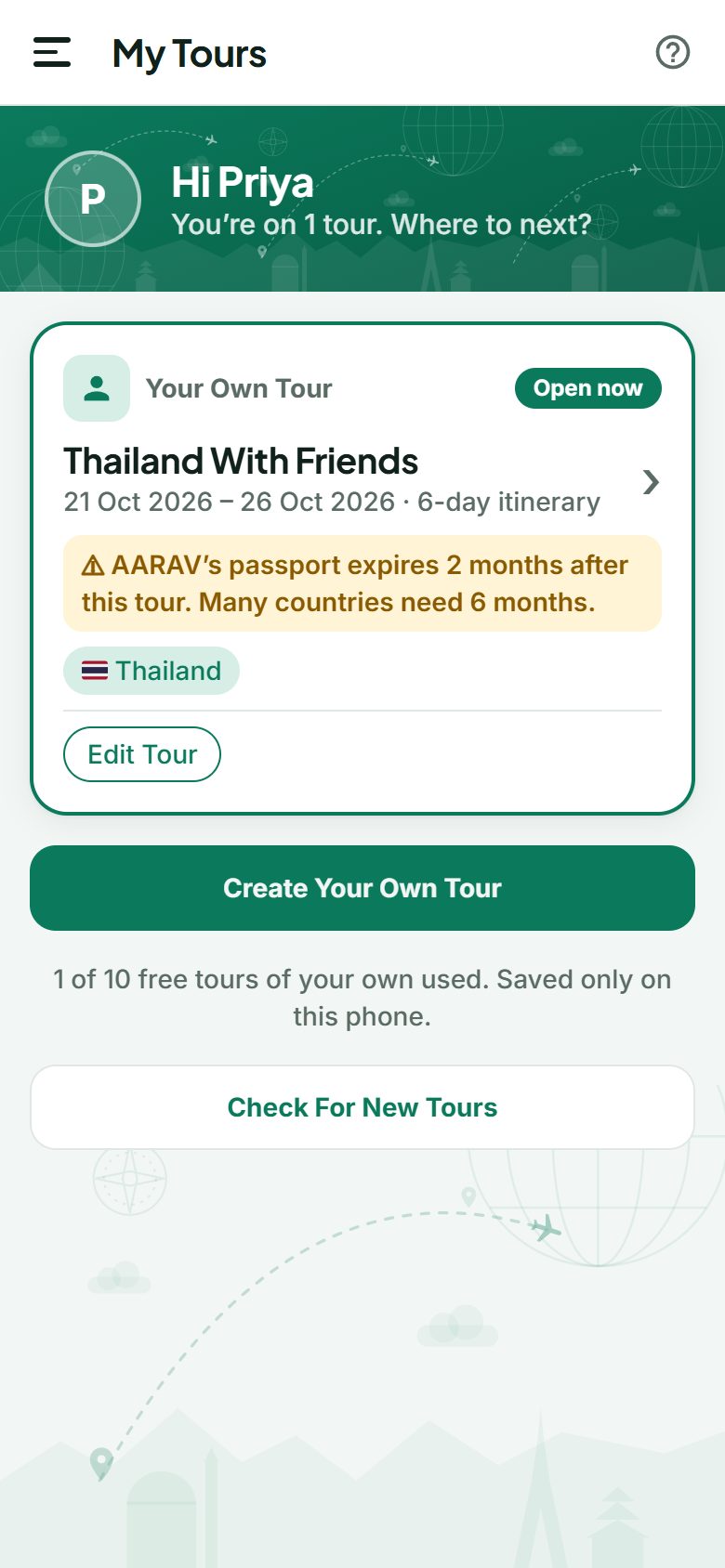
- Plan up to 10 trips of your own, free, saved on your phone and backed up automatically.
Know what everything costs
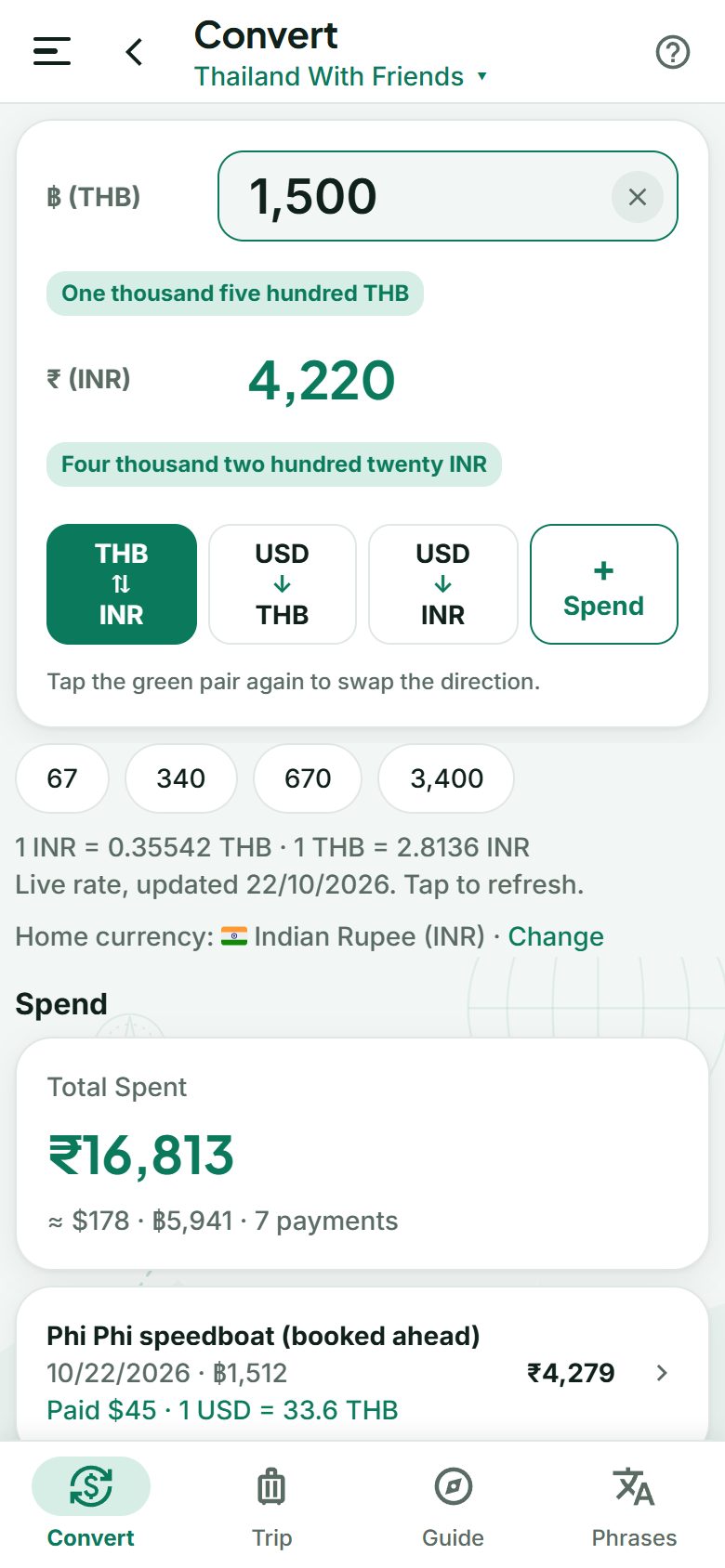
- Type a price, see it in rupees (or your own home currency), and the other way round.
- US dollars too: one tap converts dollars to baht or to rupees, handy for tours and tickets priced in dollars.
- Live exchange rates, saved for offline use, so the converter works with no data.
- Amounts in words (“one thousand five hundred”), so you never miss a zero.
- One tap adds the amount to your trip’s spending.
Track every rupee you spend
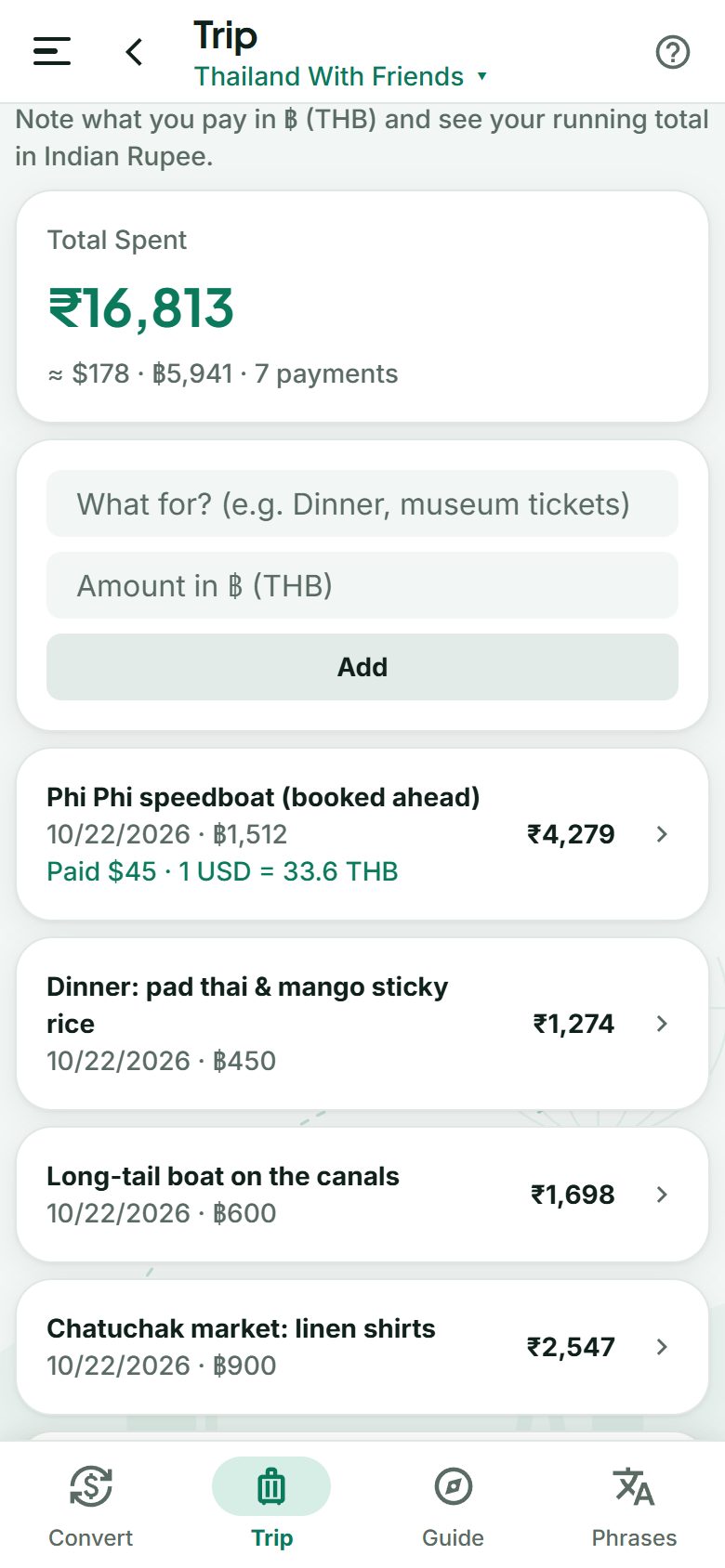
- Note each payment in the local currency in seconds: what it was for and how much.
- See your running total in rupees, trip by trip, at the rate on the day you paid, and roughly in US dollars too.
- Paid in dollars? The payment remembers it: “Paid $45 · 1 USD = 33.6 THB”.
- Fix or delete any payment. It’s all backed up automatically, so a new phone never means starting over.
Keep a diary of every day
- A note for each day of your plan: what you saw, ate and loved. Today’s card asks “How was today?”
- See what you spent that day right beside it, from your payments.
- Share My Diary sends the whole trip to family on WhatsApp, or to your notes, in one tap.
- Private: your tour operator never sees it, and it’s backed up with your trips.
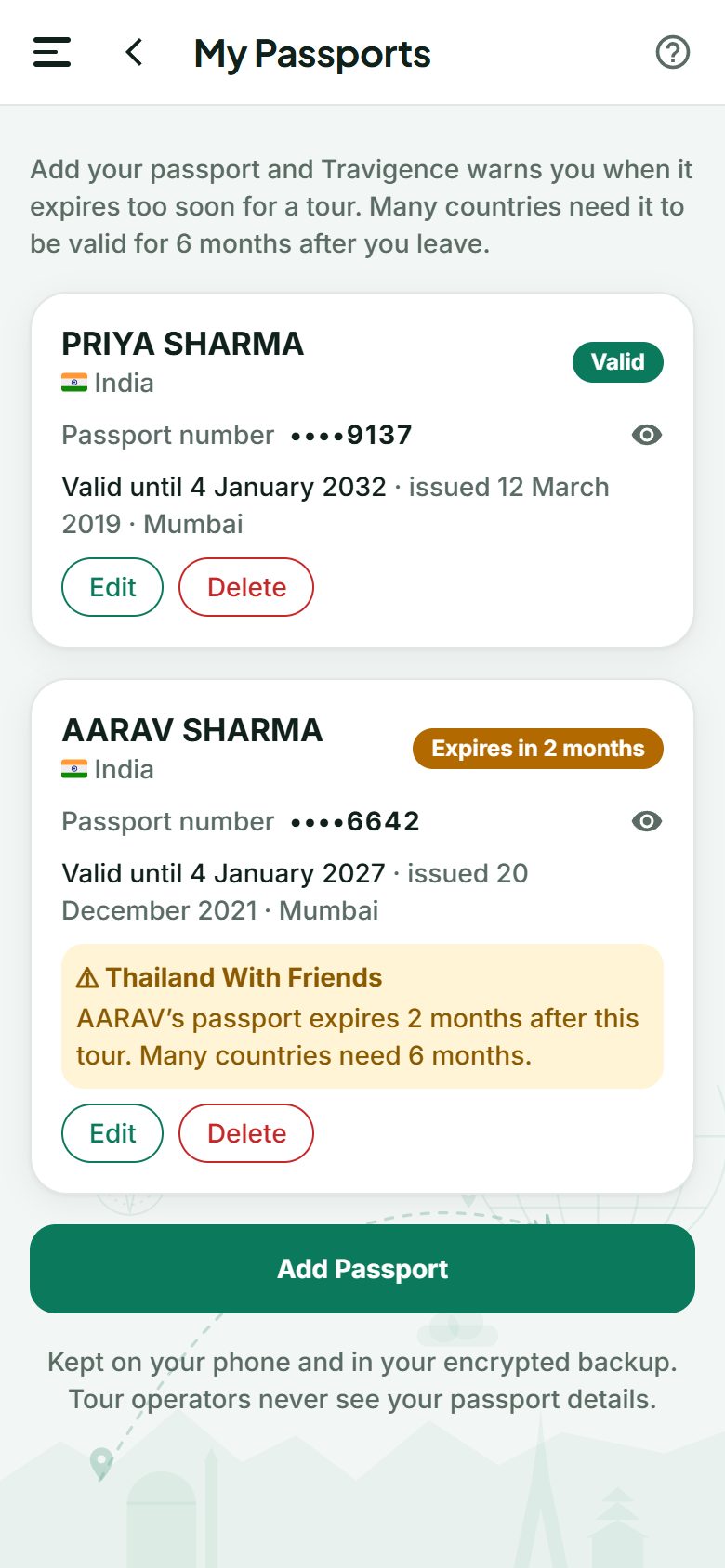
Never get caught by an expiring passport
- Add your passports, and your family’s: name, number and expiry date. No photos or scans.
- Every trip is checked: if a passport expires less than 6 months after a trip ends, the trip shows a warning. Many countries need 6 months.
- Reminders before it’s too late, when a passport expires within 6 months. Renewal can take weeks.
- The number stays hidden until you tap it, and only you ever see it.
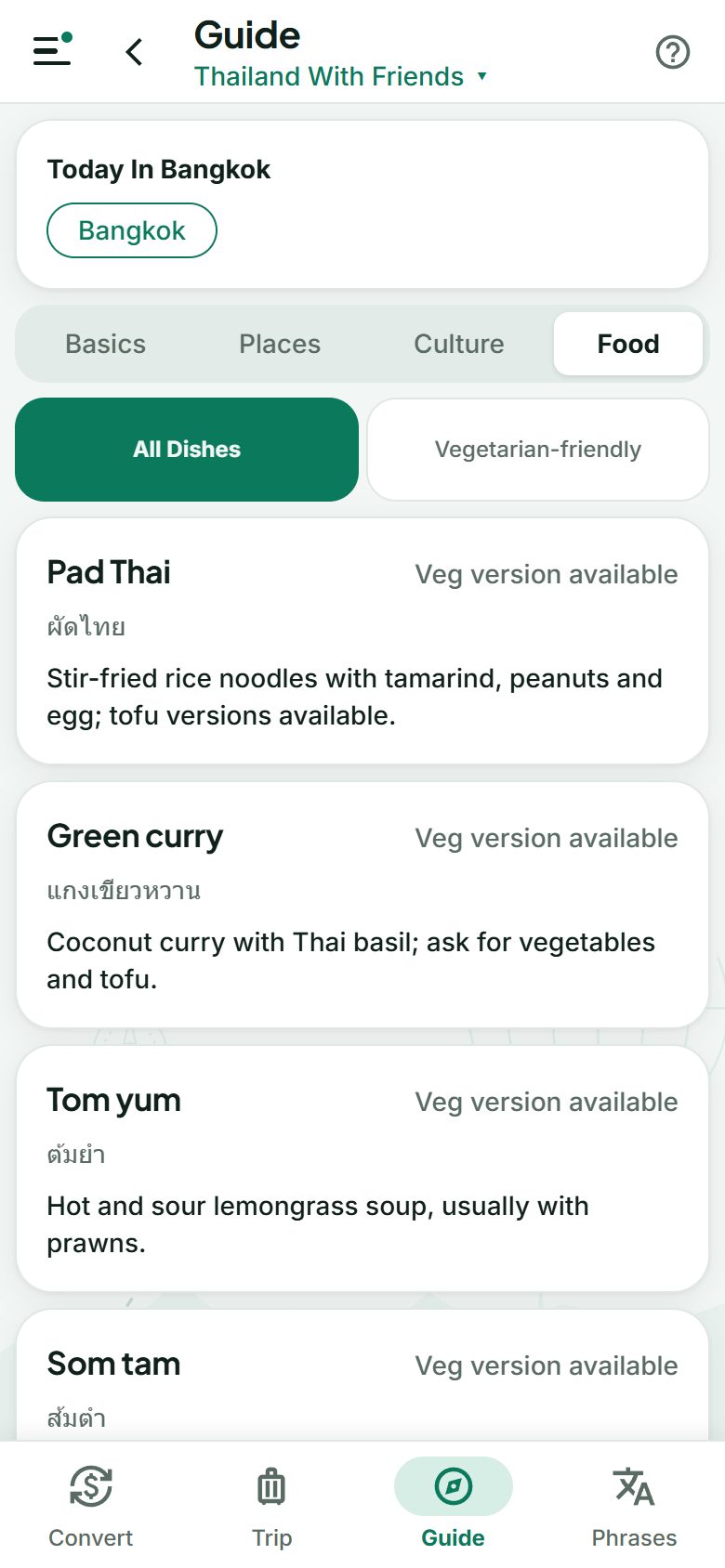
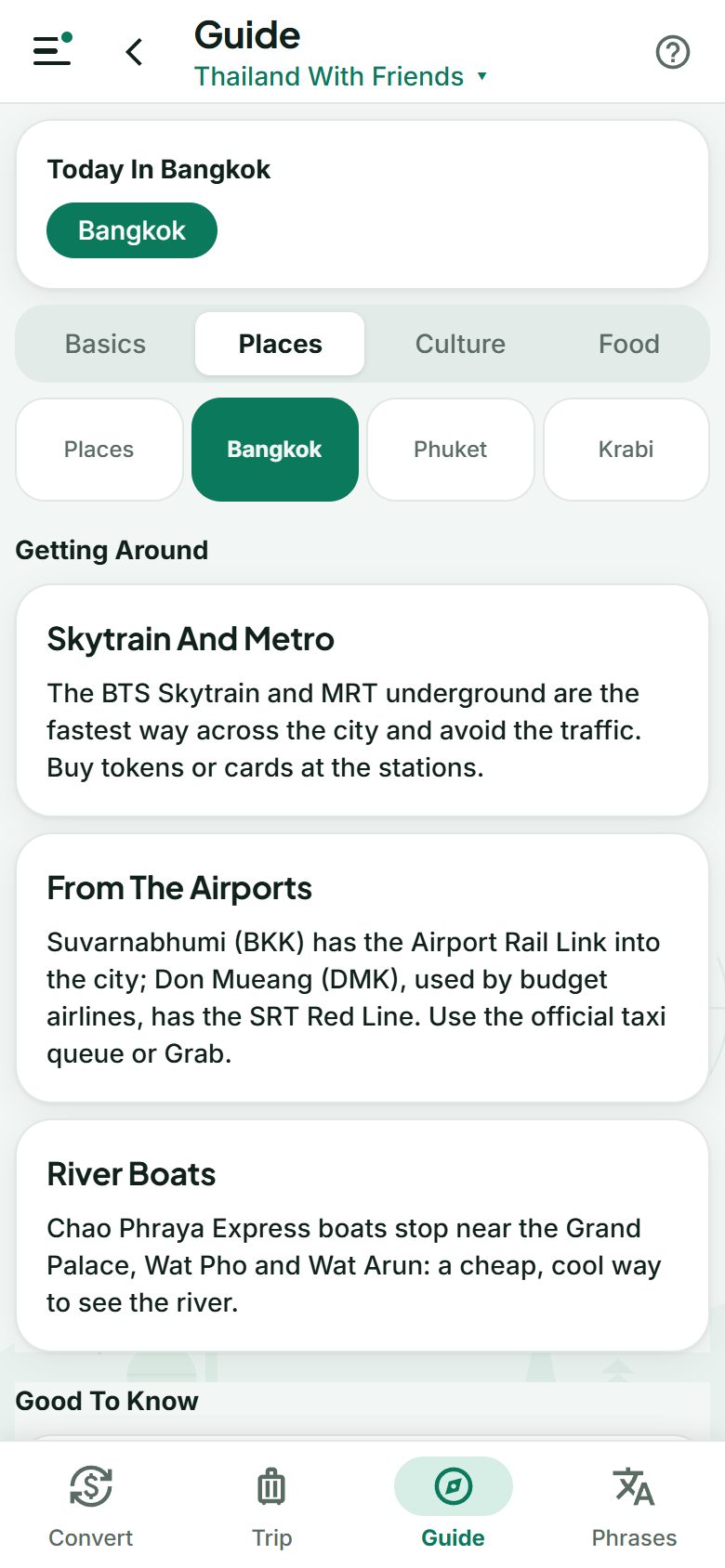
Understand the place before you land
- Country guides: quick facts, seasons, money tips, regions and city pages, traditions and what to wear.
- Food you can trust: local dishes marked vegetarian, vegetarian option or contains meat.
- Explore any country before you book: key facts, the exchange rate and its guide.
- Guides for 24 countries so far, from Thailand, the UAE and Singapore to Vietnam, Uzbekistan, Japan and Europe.
Speak a little of the language
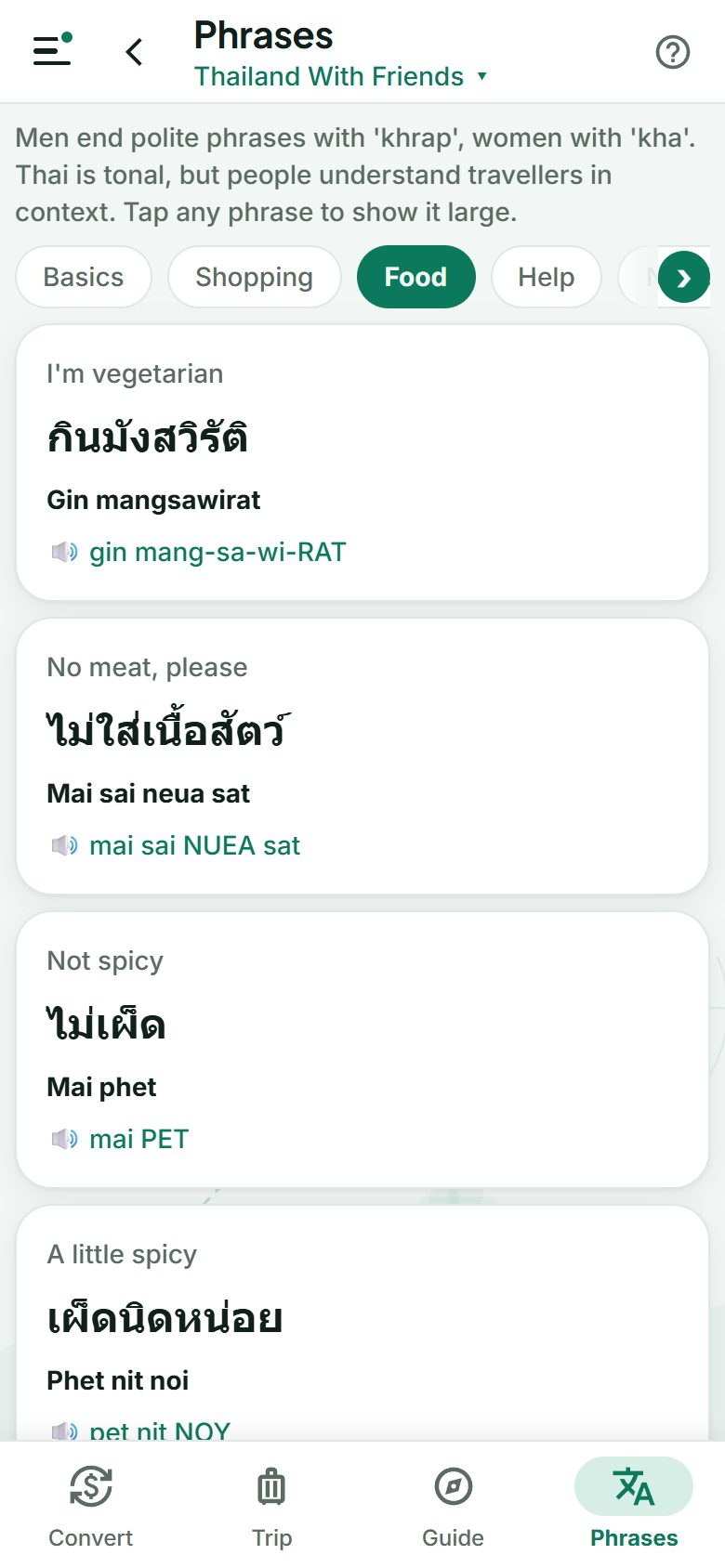
- Everyday phrases for greetings, directions, the hotel, the market, food and emergencies.
- Easy pronunciation, with the stressed syllable in capitals.
- Tap a phrase to show it large to a driver, waiter or shopkeeper.
Built for the way you actually travel
Works offline
Your plan, guides, phrases and saved rates all work with no data or roaming.
No app store
Opens in your phone’s browser, and installs to your home screen in seconds.
Automatic backup
Lost or changed your phone? Sign in and your trips and spending come back. Encrypted, and nothing to remember.
Four languages
English, Russian, Uzbek and Arabic, including right-to-left.
Private by design
Your trips, spending, diary and passport details are yours alone. No passport scans, no passwords.
No ads, no payments
Travigence never asks for card or bank details and never handles your money.
On a group tour?
Your tour operator can add your tour, with announcements and a feedback form.
Always up to date
New features arrive by themselves, and the app asks before it updates. Nothing to reinstall.
Ready for the places you love to visit
Guides and phrasebooks for Thailand, the UAE, Singapore, Malaysia, Vietnam, Indonesia, Sri Lanka, Nepal, the Maldives, Turkey, Georgia, Uzbekistan and more, with food marked vegetarian or not.
Going to Uzbekistan? UPI is coming there: India’s NPCI International and Uzbekistan’s payment system have agreed to let Indian travellers pay by scanning QR codes with UPI.
Ready in two minutes
Open Travigence
Go to travigence.app in your phone’s browser. Nothing to download from a store.
Sign in with your phone
Enter your number and the code we send you on WhatsApp. No passwords to remember.
Plan your trip
Tap “Create Your Own Tour”, add your countries and days, and you’re ready to go.
📱 On Android
- Open travigence.app in Chrome.
- Tap “Install App” in the app’s menu (or Chrome’s ⋮ menu → Install app).
- Travigence opens from your home screen like any app.
🍎 On iPhone
- Open travigence.app in Safari.
- Tap Share, then “Add to Home Screen”.
- Open Travigence from your home screen: it works offline too.
Frequently asked
Is Travigence really free?
Yes. Travigence is free for travellers, with no ads. You can plan up to 10 trips of your own, each with up to 20 days.
Do I need to download an app?
No. Travigence runs in your phone’s browser. You can add it to your home screen so it opens like an app and works offline.
Does it work without internet?
Yes. Once you’ve opened it online, your trip plan, spending, guides, phrases and the last saved exchange rates all work offline.
Does Travigence handle my money or payments?
No, never. Travigence doesn’t ask for card or bank details and doesn’t make payments. It shows prices in your currency and lets you note what you paid, which only you can see.
Which countries are covered?
You can plan a trip to any country, and the converter covers every currency. Detailed guides and phrasebooks exist for 24 countries so far, including Thailand, the UAE, Singapore, Malaysia, Vietnam, Sri Lanka, Nepal, the Maldives, Uzbekistan, Georgia, Turkey, Japan and much of Europe, with more coming.
What if I lose or change my phone?
Nothing is lost. Your own trips, spending, lists, saved numbers, diary and passport details are backed up automatically while you’re online. Sign in on the new phone with the same number and they come back by themselves. You can also save a backup file locked with your own password to iCloud Drive or Google Drive.
Can I keep a travel diary?
Yes. Each day of your trip has room for your own note, next to what you spent that day. Share My Diary sends the whole trip as text to WhatsApp, your notes or an email. Your tour operator never sees it.
Will it remind me when my passport is about to expire?
Yes. Add your passports (and your family’s) under My Passports. Travigence checks every trip: if a passport expires less than 6 months after a trip ends, or within the next 6 months, you’ll see a warning on the trip and in the menu. It only needs the name, number and dates, no photos or scans.
What happens to my data?
Your account is just your phone number and name. Your own trips, spending, diary and passport details are kept on your phone, with an encrypted backup that is only ever returned to you and never shown to anyone else; you can switch it off in the app, which deletes it. You can download or delete all your data at any time from the app’s Privacy page.
I’m travelling with a tour operator. Can I still use it?
Yes. If your tour operator uses Travigence, they add your phone number and your tour appears in the app, with their itinerary, announcements and a feedback form. You can still plan your own trips alongside.
Your next trip starts here
Free, private and ready offline. Plan it tonight; use it everywhere.
Run group tours? See Travigence for tour operators.